Skip to content
Protecting client information matters, but does HIPAA apply to your nonprofit? The answer depends on your organization’s activities and relationships, not simply its nonprofit status or whether a case file contains health information. This article explains the basic distinctions and what to consider when evaluating case management software.
This article provides general information, not legal advice. Consult qualified counsel about your organization’s obligations.
What Is HIPAA?
The Health Insurance Portability and Accountability Act (HIPAA) is a U.S. federal law. Its Privacy Rule governs protected health information, while its Security Rule sets requirements for protecting electronic protected health information. These rules apply to defined covered entities and business associates. Compliance involves the applicable legal requirements, organizational policies and practices, and appropriate safeguards, not simply purchasing secure software, although software and your choice of software vendor could play a role.
Does HIPAA Apply to Your Nonprofit?
Nonprofit status alone neither triggers nor removes HIPAA obligations. Start by reviewing the services you provide and whether you perform work involving protected health information for a covered entity or another business associate. A nonprofit can hold sensitive client information without being regulated by HIPAA. However, that does not mean the information is free of other privacy, confidentiality, or contractual obligations. Review your activities and agreements with qualified counsel before deciding which requirements apply.
What Is Protected Health Information?
Protected Health Information (PHI) generally means individually identifiable health information held or transmitted by a HIPAA covered entity or its Business Associate, subject to specific exclusions. It can concern a person’s health, health care, or payment for care. Electronic PHI (ePHI) is PHI stored or transmitted electronically. The Privacy Rule can also protect information on paper or communicated orally. A person’s name or a sensitive case note is not automatically PHI in every context; the information and the organization’s role both matter.
Names, addresses, dates and other details can identify a person when linked to health information. Removing a name alone does not necessarily de-identify a record. HIPAA recognizes specific de-identification methods, including Safe Harbor and Expert Determination. Organizations considering de-identification should consult HHS’s explanation and qualified advisers rather than assume that removing selected fields is sufficient.
Who Are HIPAA Covered Entities?
The U.S. Department of Health and Human Services (HHS) identifies three categories of HIPAA covered entities. Its Office for Civil Rights (OCR) enforces the HIPAA Privacy and Security Rules.
- Health care providers — doctors, dentists, psychologists, clinics, and nursing homes or hospice care, but only if they transmit health information electronically in connection with a transaction for which HHS has adopted a standard.
- Health plans — health insurers, HMOs, company health plans, and government programs that pay for health care.
- Health care clearinghouses — organizations that convert health information received from another entity between nonstandard and standardized formats. Examples include billing services and community health management information systems when they perform this conversion.
What is a Business Associate?
A Business Associate generally performs certain activities or services involving PHI on behalf of a covered entity. Relevant subcontractors can also be Business Associates. These relationships generally require a written Business Associate Agreement (BAA), and Business Associates have direct obligations under parts of HIPAA. Review the actual services and data flows – many service providers, including software vendors, will have certain security and privacy obligations, regardless of whether they have signed a BAA or are considered a Business Associate.
Practical Steps to Protect Client Information
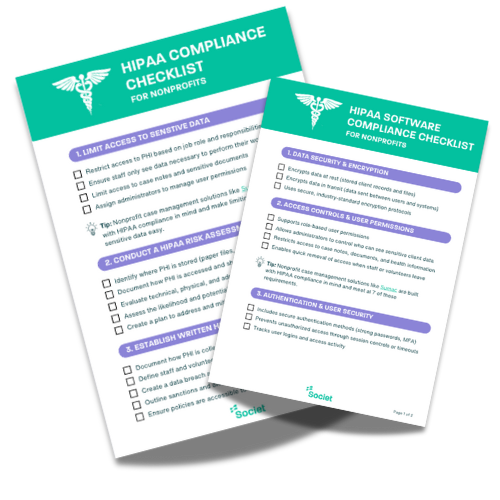
Start by establishing which legal and contractual requirements apply to your organization, then review your information-handling practices, staff responsibilities and software safeguards. The following areas can help structure that review; they are not a complete HIPAA compliance program or a guarantee of compliance.
Assess where sensitive information is collected, stored and shared, and which risks need attention. Assign responsibility for privacy and security, document procedures, and train staff to follow them.
- Review vendors before sharing data. Ask what information each service will receive, and what safeguards it provides. When a vendor will act as a HIPAA Business Associate, establish the required BAA before sharing PHI. Encryption or secure hosting does not remove that requirement.
- Review encryption and account security separately. Confirm how information is protected while stored and transmitted. Give each authorized user an individual account, set appropriate authentication requirements, and review access when responsibilities change.
- Limit access according to each person’s role and responsibilities. Review permissions regularly, remove access when it is no longer needed, and protect paper records and devices as well as digital files. Staff should use their own authorized accounts rather than share login credentials.
- Review audit records and activity logs. Establish who reviews them and how unusual activity is investigated. Confirm which events your software records and how long the records remain available.
- Prepare and test an incident-response process. Identify who will investigate, contain and document an incident and assess any notification duties. Organizations subject to HIPAA must evaluate the Breach Notification Rule when relevant.
- Train staff on privacy and security procedures. Explain who may access client information, how to store and share it safely, and how to recognise and report suspected incidents. Use practical examples, such as checking recipients before sending files and never sharing login credentials. Update training when procedures or staff responsibilities change.
Privacy incidents can arise from everyday mistakes, such as sending a file to the wrong recipient or accessing information without authorization. Report concerns promptly so the responsible team can assess what happened, limit further exposure and determine any notification duties. Use the findings to improve procedures and training.
Sumac's Role in Protecting Nonprofit Client Information
Sumac is case management software for nonprofits, with features including role-based permissions, restricted fields and audit trails. These features do not make Sumac HIPAA compliant or establish your organization’s compliance, but they do support the protection of your client information; before selecting software, identify the data and contractual requirements for the work it will support. Societ does not sign Business Associate Agreements. Where your use of a vendor requires a BAA, Sumac is not suitable for that PHI. However, you should be clear on whether your organization is required to be HIPAA compliant and what that means for you.
Explore Sumac’s privacy and security features, and discuss your organization’s requirements with our team.