Skip to content

Nonprofits that provide case management services work on the front lines of community support—helping individuals navigate housing insecurity, healthcare access, mental health challenges, domestic violence recovery, disability services, and more.
In doing so, they may be handling sensitive personal and health-related information on a daily basis.
This responsibility comes with risk.
For nonprofits subject to HIPAA, failing to meet applicable requirements can lead to enforcement action. But nonprofit status or the presence of health information in a case file does not, by itself, settle whether HIPAA applies. Start by understanding your organization’s activities, relationships and contractual obligations.
This article explores:
- When HIPAA applies to nonprofits
- Core HIPAA compliance requirements
- Information-handling practices to review
- Questions to ask case management software vendors
- Preparing evidence for a privacy or security review
- How HIPAA differs from Canadian privacy laws
- Sumac’s security features and the limits of its intended use
This article provides general information, not legal advice. Consult qualified counsel about your organization’s obligations.
What Is HIPAA Compliance (and Why Nonprofits Should Care)?
The Health Insurance Portability and Accountability Act (HIPAA) is a U.S. federal law. Its Privacy, Security and Breach Notification Rules address permitted uses and disclosures of Protected Health Information (PHI), safeguards for electronic PHI, and notification after certain breaches.
Whether HIPAA applies to a nonprofit depends on its activities and relationships. Covered entities include health plans, health care clearinghouses, and health care providers that conduct certain standard transactions electronically. A nonprofit may also be a Business Associate when it performs specified work involving PHI for a covered entity or another Business Associate.
Providing social services, receiving a referral, or collecting health details does not automatically establish either status. Funding agreements can impose additional contractual requirements. Review both the legal definitions and your contracts with qualified counsel.
How to Know If Your Nonprofit Handles ePHI (electronic Personal Health Information)?
Distinguish PHI from other sensitive information before selecting a system. PHI generally means individually identifiable health information held or transmitted by a HIPAA covered entity or its Business Associate, subject to specific exclusions.
In that HIPAA context, ePHI is information that:
- Relates to a person’s physical or mental health, healthcare services, or payment for care
- Can be linked to an identifiable individual
- Is stored or transmitted electronically
This includes things like health conditions, treatment notes, or medical referrals when they are connected to identifiers such as a name, email address, phone number, date of birth, or other information that could reasonably identify a client.
Those three answers alone do not determine HIPAA applicability. Confirm the organization’s role, the purpose for which it handles the information, and any applicable exclusions. PHI can also exist on paper or in spoken communications.
Core HIPAA Compliance Requirements
For organizations subject to HIPAA, three rules are especially relevant. The following is an overview, not a complete compliance assessment.
1. The HIPAA Privacy Rule
The Privacy Rule sets conditions for permitted uses and disclosures of PHI and provides individual rights. Depending on the activity, relevant duties include:
- Apply the minimum-necessary standard where it applies
- Obtain authorization when a use or disclosure is not otherwise permitted or required
- Support applicable rights to access and request amendment of health information
2. The HIPAA Security Rule
This focuses on how electronic PHI (ePHI) is protected through:
- Administrative safeguards
- Physical safeguards
- Technical safeguards
Security features are only one part of meeting applicable obligations. Software does not replace an organization’s risk analysis, policies, staff training or required agreements.
3. The HIPAA Breach Notification Rule
The rule requires notification following a breach of unsecured PHI, subject to exceptions and assessment requirements. Covered entities notify affected individuals, the U.S. Department of Health and Human Services (HHS) and, in specified circumstances, the media; Business Associates notify the covered entity.
Your next step is to review the practices and tools used in your own programs.
Privacy and Security Practices to Review
The areas below can help nonprofits review how they handle sensitive information. They are not a complete HIPAA compliance program and do not establish that a product or organization is compliant.
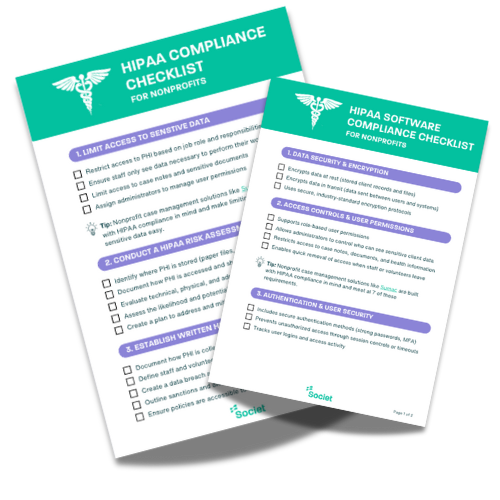
1. Limit Access Using Role-Based Permissions
Excessive access can expose sensitive information unnecessarily.
Review whether:
- Staff only see data relevant to their role
- Case notes are restricted appropriately
- Administrators control permission levels
Role-based permissions can help enforce these boundaries, but administrators must configure access to match actual staff responsibilities. Evaluate software controls separately from the legal requirements that apply to your organization.
2. Assess Information Risks
For organizations subject to the Security Rule, risk analysis must address the confidentiality, integrity and availability of ePHI. Nonprofits can also assess risks to other sensitive information. A review should:
- Identify where sensitive information is collected, stored and shared
- Evaluate potential vulnerabilities
- Assess the likelihood and impact of identified threats
Review risks on an ongoing basis and when services, systems or processes change. Set a documented review schedule appropriate to your risks and applicable requirements.
3. Document Policies and Procedures
Policies should clearly define:
- How sensitive client information is collected, stored, and shared
- Staff responsibilities
- Incident response procedures
- Sanctions for non-compliance
Keep policies documented, accessible and regularly reviewed.
4. Assign Privacy and Security Responsibilities
Assign clear responsibility for:
- Overseeing applicable privacy and security requirements
- Monitoring policy enforcement
- Coordinating reviews and staff training
Organizations subject to HIPAA should confirm the required privacy and security roles, rather than assume a single generic title satisfies both rules.
5. Train Staff and Volunteers Regularly
Privacy and security training should reflect each person’s role and cover:
- What information your organization handles and which requirements apply
- How to handle sensitive client data
- How to identify phishing or security threats
- What to do if a breach occurs.
Include relevant employees and volunteers, not only case managers, and refresh training when policies or responsibilities change.
Evaluating Case Management Software: Questions to Ask
Before choosing software, map the information your nonprofit will place in it. Your records may include:
- Client health histories
- Intake assessments
- Case notes
- Referrals and reports
- Communication logs
Assess the information, intended use, safeguards and vendor’s contractual commitments together. A feature list alone cannot establish suitability for HIPAA-regulated data.
Security Features and Vendor Commitments
Use the following questions to discuss a vendor’s capabilities. They are not a certification test, but can help your organization to understand how the vendor will enable you to securely store and manage your data. Where HIPAA applies, consider applicable requirements and required agreements alongside technical controls.
1. Data Security & Encryption
- How is stored client information encrypted?
- How is information encrypted during transmission?
- Which encryption protocols are used?
2. Access Controls & User Permissions
- Can permissions be assigned by role?
- Can administrators limit access to sensitive records and fields?
- Which restrictions apply to case notes, documents and health-related information?
- How quickly can access be revoked when a staff member or volunteer leaves?
3. Authentication & User Security
- Which authentication options are supported, including multi-factor authentication?
- Which session controls and timeouts are available?
- Which login and access events are recorded?
4. Audit Logs & Monitoring
- What audit records are maintained?
- Do logs show which records were accessed or changed, by whom and when?
- How can logs be retained, retrieved and reviewed?
5. Data Backup & Reliability
- How often are backups made, and where are they kept?
- How is recovery tested after an outage or incident?
- What safeguards address accidental loss or corruption?
6. Vendor Compliance & Legal Safeguards
- Do the service terms cover your intended data and use?
- What evidence supports the vendor’s security practices and commitments?
- Where the service will act as a Business Associate, will the vendor sign the required Business Associate Agreement (BAA)?
Do not judge suitability by a product’s price or category alone. Review its controls, configuration, permitted uses and contracts. An unsecured service is not made suitable simply by calling it a CRM or case management system.

Preparing for a Privacy or Security Review
A funding review, internal assessment and an Office for Civil Rights (OCR) HIPAA audit are different processes. Confirm the scope of the review, the requirements that apply, and the evidence requested.
Depending on the review, useful evidence may include:
Administrative Safeguards
- Documented risk assessments
- Written privacy and security policies
- Proof of staff training
- Incident response plans
- Vendor management processes
Technical Safeguards
- Access controls and user permissions
- Encryption standards
- System activity monitoring
- Secure login protocols
Physical Safeguards
- Secure workstations
- Controlled access to offices
- Policies for remote work and device use
Maintaining evidence and reviewing practices routinely can make it easier to explain how your organization protects information.
Common Information-Handling Risks
Examples of practices to review include:
- Sharing login credentials
- Sending sensitive client information through unapproved or inadequately protected email
- Keeping sensitive records in unapproved spreadsheets or personal drives
- Failing to revoke access when staff leave
- Not having the ability to audit user activity
Software controls, staff training and consistent procedures all matter. A system designed for nonprofits does not, by itself, prevent these mistakes.
How Sumac Supports Client Data Privacy and Security
Sumac is case management software for nonprofits. It provides security and privacy features for managing client information, but Sumac is not “HIPAA compliant”, nor can we claim to be because there is no official certification for a software to be HIPAA compliant. We do take the security and privacy of our customers’ data very seriously, and are continually working to improve our already existing security and privacy practices.
Understand Where Sumac Fits
If your intended use requires a vendor to sign a Business Associate Agreement, Sumac is not suitable for that data. Societ does not sign Business Associate Agreements. However, Sumac has many of the features and capabilities that align to HIPAA security and privacy requirements and is often suitable for most human and social services organizations.
Role-Based User Permissions
With Sumac, nonprofits can:
- Configure who can access sensitive client information
- Restrict access to sensitive records and fields
- Align permissions with job responsibilities
These controls need appropriate configuration and periodic review as staff responsibilities change.
Storage, Encryption and Audit Trails
Sumac provides:
- Secure, professionally managed cloud infrastructure
- Encryption of data at rest and in transit
- System monitoring and updates
- Logs of user activity, record access and changes
Confirm the configuration and scope of these features with the product team, including the events logged and the available retention settings. These are security capabilities, not a HIPAA compliance guarantee.
Review Your Requirements Before Choosing Software
Review the requirements for your programs and confirm what data a proposed system will handle. Keep any information requiring a BAA in a service that provides the required agreement and safeguards. Where your organization uses separate systems, ensure the separation covers intake, referrals, integrations and exports as well as clinical notes.

Bringing It All Together: Review Your Privacy Requirements
For nonprofits doing case management, start by confirming which requirements apply. Then review:
- Risk assessments
- Written policies and procedures
- Staff training
- Role-based access controls
- Software safeguards, permitted uses and required agreements
- Ongoing review of access, activity logs and policies
Protecting information is part of respecting the dignity, privacy and trust of the people you serve, whether or not HIPAA applies.
Next Steps: Choose Software That Fits Your Requirements
Understanding your legal responsibilities and your software’s capabilities are separate steps. Confirm the first with qualified advisers and review the second with your vendor.
For nonprofit case management needs that fit Sumac’s permitted use, a demo can show how its permissions, audit trails and field-level controls work.
Explore Sumac’s privacy and security features and discuss your program’s requirements with our team.